 Garden
Affiliate Disclosure
Some links on this page are affiliate links. As an Amazon Associate, we earn from qualifying purchases — at no extra cost to you. We do not buy, test, or physically handle the products we cover; our rankings come from aggregated owner reviews, ratings and expert consensus. Commissions never change our verdicts. How we rank · full disclosure.
An apartment changes the camera decision in three ways, and none of them are about the camera. You cannot drill, so anything requiring a bracket and anchors is out. You do not own the hallway, so the most obvious place to point a lens is the one most likely to cause a problem. And the building is saturated with other people's Wi-Fi, which is why apartment camera reviews are full of dropouts that never happen in a detached house.
Work within those three constraints and apartment coverage is genuinely easy — arguably easier than a house, because a small floor plan means one well-placed camera covers most of what matters. Here are the six the owner-review record supports for rentals, followed by the placement and lease questions that decide whether it goes smoothly.
Top Picks at a Glance
What a rental actually rules out
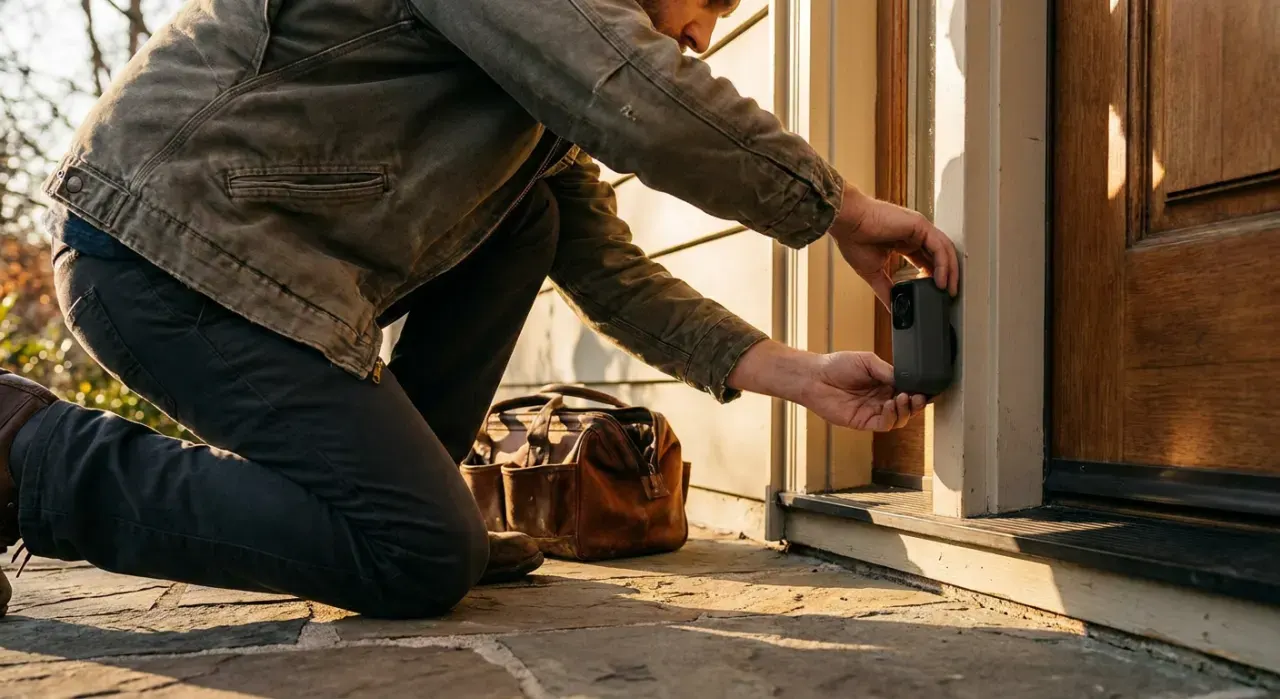
Most "best camera" advice assumes a house with eaves, exterior outlets and permission to make holes. Strip those assumptions away and the field narrows usefully.
| Camera type | Works in a rental? | Why |
|---|---|---|
| Plug-in indoor camera | Yes, always | Freestanding, no alteration, comes with you |
| Pan-and-tilt indoor camera | Yes, and best value | One unit covers a whole room from a shelf |
| Battery outdoor camera | Usually, with an adhesive mount | No wiring; check the lease before fixing anything |
| Video doorbell, battery | Sometimes | Depends on the lease and whether the door is yours |
| Wired PoE system | No | Requires running cable through walls you do not own |
| Floodlight camera | No | Hardwired to a junction box; electrical alteration |
| Hardwired doorbell | No | Ties into building wiring |
The practical conclusion is that a renter should build around freestanding indoor cameras plus, at most, one battery camera on a private outdoor space. That is not a compromise setup — for an apartment, an indoor camera facing the entry door is the highest-value position in the home, because it captures anyone who comes in at close range and in reasonable light.
Our #1 Pick: Tapo C211
In a house, a pan-and-tilt camera is a nice extra. In an apartment it is the whole answer, because one unit on a bookshelf can sweep an entire open-plan living space and cover the front door, the balcony slider and the kitchen from a single position. That is why the C211 tops this list rather than a cheaper fixed camera.
It records 2K to a microSD card inside the camera, so there is no plan, no cloud tier and nothing that stops working. Person and pet detection run on the device. And the privacy mode physically rotates the lens to face into the housing, which matters far more in a home where you actually live than in a driveway — you can glance across the room and see that it is off, rather than trusting a setting.
For renters specifically, the two things worth noting are that it needs a shelf or a sill rather than a wall, which is exactly what you want, and that it is cheap enough to buy two and cover a one-bedroom completely. The honest complaints are that the pan motor is audible, which surprises people using it as a baby monitor, that it needs 2.4GHz Wi-Fi and dislikes single-name mesh networks during setup, and that the microSD card is the part most likely to fail — buy one rated for continuous surveillance writing.
Check price on Amazon → (paid link)
The Ranked Field

Best for covering a whole studio or living room from one shelf, with no plan and nothing screwed to a wall
- 360-degree pan and vertical tilt from a single corner position
- 2K video recorded to a microSD card in the camera
- On-device person and pet detection, no subscription
- Privacy mode physically rotates the lens into the body
Why buy it: the right camera for a small home — one unit covers a whole room from a shelf, it sits on furniture rather than a wall, and it comes with you when the lease ends.

Best for renters who want a camera running in five minutes with nothing attached to the building
- Plugs into any outlet, sits on a shelf or a sill
- 2K video with night vision
- Local storage through a Blink Sync Module, or a cloud plan
- Alexa and Echo Show integration
Why buy it: the lowest-commitment camera here. Nothing is drilled, nothing is adhered, and the entire installation is finding an outlet — which is the whole point when the walls are not yours.
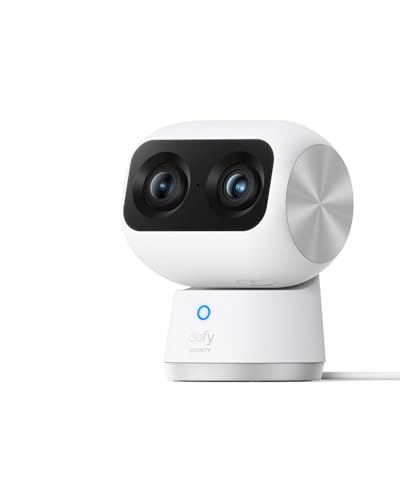
Best for shared apartments where you want detail and want the footage staying in the building
- Local storage with optional encrypted cloud — never mandatory
- Wide 4K lens plus a telephoto for 8× zoom
- On-device AI tracking
- Full 360-degree pan with tilt
Why buy it: the pick when other people live in the apartment. Local recording means nothing about your housemates ends up on a company server, which is a conversation worth being able to have honestly.

Best for a balcony, a patio door or a private entry landing, mounted without tools
- Runs on two AA lithium cells for up to two years
- Weather resistant for a covered balcony or entryway
- Removable mount that can be adhered rather than screwed
- Local storage via a Sync Module, or a cloud plan
Why buy it: the only realistic way to cover an outdoor space in a rental — no wiring, no drilling, and a battery life measured in years rather than weeks.

Best for renters already using Ring or Alexa who want one app for everything
- The highest owner rating in this roundup
- Tiny plug-in body, no mounting required
- Manual privacy cover on current models
- Recording requires a Ring Home plan
Why buy it: the smoothest option in an Alexa household, with two honest caveats: nothing is saved without a plan, and Ring settled with the FTC in 2023 over employee access to customer video.

Best for covering two or three rooms of a shared apartment for the price of one mid-range camera
- 2.5K resolution with color night vision
- Continuous local recording to a microSD card with no plan
- IP65 rated, so it can sit on a covered balcony
- Optional cloud tier for AI events
Why buy it: the cheapest way to get real resolution and continuous local recording, which makes it the sensible choice when you need more than one camera on a renter budget.
Quick Comparison
| Product | Best for | Rating | Price | Buy |
|---|---|---|---|---|
| Tapo 2K Pan/Tilt Security Camera C211, 360° Coverage, Local MicroSD Recording | Best Overall | — | Check (paid link) | |
| Blink Mini 2K+ Plug-in Indoor Security Camera, 2K Video, Night Vision | Best No-Install | — | Check (paid link) | |
| eufy Security 4K Indoor Cam S350, Dual Cameras, 8× Zoom, No Subscription | Best for Privacy | — | Check (paid link) | |
| Blink Outdoor 4, Wireless Smart Security Camera, Two-Year Battery, 1080p HD | Best for a Balcony or Entry | — | Check (paid link) | |
| Ring Indoor Cam, Home or Business Security in 1080p HD Video, White | Best in the Ring Ecosystem | — | Check (paid link) | |
| WYZE Cam v4, 2.5K AI Security Camera, Color Night Vision, Indoor/Outdoor | Best Budget | — | Check (paid link) |
The hallway question, and the audio one
The single most common apartment camera mistake is pointing one down a shared corridor. It feels like the obvious move — that is where a stranger would come from — and it is the position most likely to create a real problem. A shared hallway is common property, it is used daily by neighbors who have consented to nothing, and recording it can breach a lease or building rules independently of whether it breaches any law. Building managers do sometimes permit a camera on a unit door; the way to find out is to ask in writing rather than to discover it during a complaint.
The usual compromise is a camera or a doorbell on your own door covering the immediate approach, with the field of view tightened so it does not stare at the neighbor's door opposite. Most apps let you mask a region out of the recording entirely. Use that.
Audio is a separate legal question and it is stricter than video. Federal law and most states permit recording a conversation where one party consents; a meaningful minority require every party to consent. A camera in a corridor, or in a shared living room, can capture conversations between people who have agreed to nothing at all — housemates, guests, a neighbor on the phone. The Reporters Committee for Freedom of the Press maintains a state-by-state guide and the Department of Justice sets out the federal rule. Every camera here can have its microphone turned off, and in a shared apartment that is usually the right default. This is general information rather than legal advice.
If you share the apartment, tell the people you live with where the cameras are. It costs nothing, it removes the possibility of a much worse conversation later, and it is the difference between a security measure and a surveillance problem.
Where the footage goes
In a small home the camera is recording your actual life, which makes the storage question sharper than it is on a driveway. Four of the six picks here record to local storage with no plan — the footage never leaves the building and no company holds it.
The Ring Indoor Cam is the exception and it belongs in the decision. In May 2023 the Federal Trade Commission announced a settlement requiring Ring to pay $5.8 million and to implement a comprehensive privacy and security program, over allegations that employees and contractors had accessed customers' private videos and that inadequate security allowed attackers to take over customer cameras through credential stuffing. Ring has since made two-factor authentication mandatory and introduced end-to-end encryption as an option. FTC press release on the Ring settlement. It remains an excellent, extremely well-rated camera and a Ring household may reasonably buy it — with two-factor and encryption enabled from the first day.
Whatever you choose, the two settings that matter most are a password you have used nowhere else and two-factor authentication on the account. Nearly every reported case of a stranger speaking through someone's indoor camera came from credential reuse rather than from the manufacturer being breached.
Apartment Wi-Fi is the real bottleneck
A detached house has a handful of neighboring networks. An apartment building can have fifty, all crowding the same handful of 2.4GHz channels — which is the band nearly every camera in this price range uses, because it travels through walls better than 5GHz. The symptom is not an outage; it is a live view that takes ten seconds to load and notifications that arrive after the event is over.
Three things help. Change your router to a less crowded 2.4GHz channel, which most router apps will now suggest automatically. Put the router somewhere central rather than in the closet by the front door. And prefer cameras that write to a local card, because a dropped stream then costs you the live view rather than the recording. Our guide on why a Wi-Fi camera keeps disconnecting works through the rest.
How We Rank
We never buy, install or physically handle these cameras. Rankings come from aggregated owner ratings across the most-owned indoor and wire-free cameras, weighted toward reviews from renters and apartment dwellers where they can be identified, and cross-checked against published specifications. Four things carry the weight here: whether the camera can be installed without altering the building, which is a hard requirement rather than a preference; coverage per unit, since a small home should not need five cameras; whether it works without a subscription; and behavior on congested apartment Wi-Fi. Prices were checked at the time of writing. Full method: how we rank.
What Owners Actually Complain About
Notification lag. Universally the top complaint, and in apartments it is usually the network rather than the camera. Phone battery optimization silently throttling the app is the second cause.
Adhesive mounts failing. On balconies, heat and humidity defeat cheap adhesive pads within a season. Use a heavy-duty outdoor mounting tape, clean the surface with alcohol first, and let it cure for a full day before hanging weight on it.
Cameras that need a hub sold separately. Several wire-free systems require a base station for local storage, and buyers discover it after the camera arrives. Check what is in the box.
MicroSD cards failing silently. Standard cards are not built for constant rewriting. Buy high-endurance and check occasionally that clips are actually being written.
Housemate friction. Not a hardware fault, but it appears repeatedly in reviews from shared apartments. Agree where the cameras point before you put them up.
The Verdict
Buy the Tapo C211. In an apartment its pan-and-tilt coverage does the work of two fixed cameras, it records locally with no plan, and it sits on a shelf rather than in a wall — which is the constraint that actually matters when you rent. Buy a second one before you buy anything more expensive.
Take the Blink Mini 2K+ if you want the absolute minimum setup, the eufy S350 if you share the apartment and want detail plus local-only storage, and the Blink Outdoor 4 if you have a balcony or a private landing worth covering. Then spend ten minutes on the two things that cause most apartment camera regret: point nothing at a shared hallway, and turn the microphone off unless you have a specific reason to leave it on. Check price on Amazon → (paid link)
More from this hub: Smart Home & Security · Best security systems for renters · Best indoor security cameras · Where to place cameras · Doorbell cameras without a subscription · How we rank