 Garden

Affiliate Disclosure
Some links on this page are affiliate links. As an Amazon Associate, we earn from qualifying purchases — at no extra cost to you. We do not buy, test, or physically handle the products we cover; our rankings come from aggregated owner reviews, ratings and expert consensus. Commissions never change our verdicts. How we rank · full disclosure.
The short answer: set your AC to 78°F when you are home and 85°F or higher when you are away, the long-standing US federal energy-efficiency guidance; ENERGY STAR makes the same core point, that the smaller the gap you ask the system to hold, the less it runs. The logic is simple — the smaller the gap between your indoor and outdoor temperature, the less the system runs, so every degree you raise the setpoint saves roughly 1 to 3 percent on cooling. At night, 82°F while you sleep is cheaper than 78°F and comfortable for most people. The single biggest saving is the setback while you are out, and a smart thermostat like the ecobee Premium captures it automatically.
This is a page about a number, but the number only saves money if the thermostat actually holds it — which is why the products below are the devices that automate the setbacks you would otherwise forget. If you want the full comparison of models, see our best smart thermostat roundup and the heating and cooling hub.
Thermostats That Automate the Savings
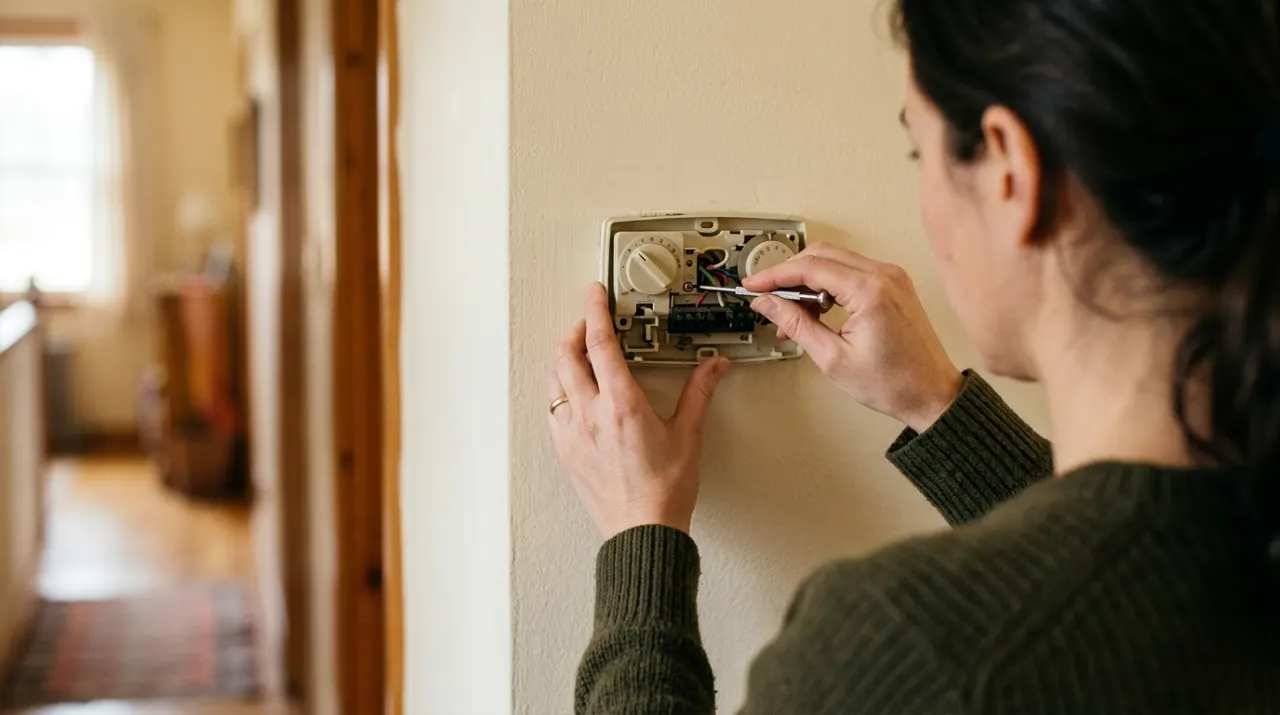
Our #1 Pick: ecobee Smart Thermostat Premium
The right setpoint is worthless if nobody moves it, and that is the case for the ecobee Premium. It ships with a SmartSensor that detects both temperature and occupancy in a second room, and its Eco+ feature raises the setpoint automatically when it senses the house is empty and eases it back before you return. That means you get the full 85°F-while-away saving without ever thinking about it, which is exactly the behavior the Department of Energy’s guidance depends on.
It layers on geofencing, a genuinely useful energy report that shows what your habits cost, and support for every major voice assistant. At around $250 it is the priciest here, but for a home where people come and go on irregular schedules, the automated occupancy setbacks recover that premium over a cooling season or two — and a utility rebate often takes a chunk off up front.
Efficiency Score █████████░░ 9.1 — built from an average of 4.3 stars across 4,010 verified owner ratings.
The honest weaknesses: it wants a C-wire (a power adapter is included if you lack one), the touchscreen has a learning curve, and if your schedule is fixed and predictable a cheaper programmable thermostat captures most of the same saving.
Check price on Amazon → (paid link)
The Thermostats, Ranked

Best for automating setbacks with occupancy and room sensors
- Included SmartSensor detects occupancy
- Eco+ automatically raises temp when you leave
- Schedules, geofencing and away mode
- Works with all major voice assistants
Why buy it: the setpoint only saves money if the thermostat actually holds it — the occupancy sensors and Eco+ do the raising and lowering for you, which is where the real savings live.

Best for a set-and-forget schedule that builds itself
- Learns your routine and programs itself
- Auto-Away raises temp when the house is empty
- Leaf indicator rewards efficient settings
- Energy history reports
Why buy it: it watches your habits and builds a setback schedule automatically, so the cooling eases off whenever the house is empty without you touching it.

Best for the cheapest way to add scheduling and Alexa control
- Honeywell Home thermostat technology
- Alexa Hunches adjust when you are away
- App schedules and remote control
- ENERGY STAR certified
Why buy it: the lowest-cost route to programmed setbacks and remote control, and often eligible for a utility rebate that drops the price further.

Best for Nest features and app control at a lower price
- Home/Away Routines raise temp automatically
- Energy savings suggestions in the app
- Mirror display shows schedule at a glance
- ENERGY STAR certified
Why buy it: the affordable Nest keeps the automatic away-adjustment that does the saving, without the learning premium of the flagship.

Best for adding schedules and geofencing to a unit with no smart thermostat
- Controls any remote-operated AC
- Schedules, geofencing and Climate React
- Works with Alexa, Google and HomeKit
- 60-second install, no wiring
Why buy it: most window and portable ACs run all day at one temperature because no one changes them — this schedules the setback a central thermostat would give you.

Best for reliable scheduling without a subscription or sensor ecosystem
- Flexible 7-day scheduling
- Geofencing and remote access
- Works without a C-wire in many systems
- ENERGY STAR certified
Why buy it: a no-nonsense programmable thermostat that nails the fundamentals — a good schedule and remote control are all most homes need to capture the savings.

Quick Comparison
| Product | Best for | Rating | Price | Buy |
|---|---|---|---|---|
| ecobee Smart Thermostat Premium | Best Overall | — | Check (paid link) | |
| Google Nest Learning Thermostat (3rd Gen) | Best Learning | — | Check (paid link) | |
| Amazon Smart Thermostat | Best Value | — | Check (paid link) | |
| Google Nest Thermostat (2020) | Best Budget Nest | — | Check (paid link) | |
| Sensibo Air Smart AC Controller | Best for Window & Portable AC | — | Check (paid link) | |
| Emerson Sensi Wi-Fi Smart Thermostat (ST55) | Best Simple | — | Check (paid link) |
How We Rank
We do not buy, test or physically handle these devices. We rank on aggregated owner ratings weighted by review volume, the presence of the automation that actually captures setpoint savings — occupancy sensing, geofencing, auto-away, scheduling — installation friction reported by owners, and recurring complaints in critical reviews such as C-wire trouble and connectivity drops. Prices and rebate availability move, so we recheck them. Full method on how we rank.
The Thermostats, Reviewed
1. ecobee Smart Thermostat Premium — Best Overall
Covered above. What owners praise: the occupancy-sensing setbacks, the room sensor, the energy reports, and the polished app. What owners complain about: price, the C-wire requirement, and occasional over-eager away mode. The strongest choice for turning the recommended setpoints into automatic savings.
2. Google Nest Learning Thermostat — Best Learning
The Nest builds your schedule for you by watching what you do for the first week, then uses Auto-Away to raise the temperature whenever the house is empty. What owners praise: the hands-off learning, the design, and clear energy history. What owners complain about: the learning can second-guess you early on, and it is dear. Best for people who will not program a schedule themselves.
3. Amazon Smart Thermostat — Best Value
Built on Honeywell Home technology, it delivers app scheduling, remote control and Alexa Hunches that nudge the temperature when you are away — at a fraction of the flagship price. What owners praise: the price, simple setup, and frequent utility rebates. What owners complain about: it needs a C-wire and leans on Alexa for its smarter behavior. The cheapest honest route to automated setbacks.
4. Google Nest Thermostat (2020) — Best Budget Nest
The affordable Nest keeps the Home/Away Routines that raise the setpoint automatically, without the self-learning premium. What owners praise: the price, the mirrored display, and app savings tips. What owners complain about: no remote sensor support and a slightly simplified feature set. A tidy middle ground.
5. Sensibo Air — Best for Window & Portable AC
If your cooling is a window unit or a portable AC, you have no smart thermostat — and those units usually run all day at one temperature because nobody changes them. The Sensibo Air controls any remote-operated AC and adds schedules, geofencing and its Climate React automation. What the setting is worth in dollars depends on your rate: the EIA publishes average residential electricity prices by state, and they run from around 11 cents to over 30 cents per kWh. What owners praise: the 60-second no-wiring install, the scheduling, and HomeKit support. What owners complain about: it needs line-of-sight to the AC and reliable Wi-Fi. The best way to bring setback savings to a non-central system.
6. Emerson Sensi ST55 — Best Simple
A reliable programmable thermostat with flexible 7-day scheduling, geofencing and remote access, and it works without a C-wire in many systems. What owners praise: rock-solid scheduling, easy install, and no subscription. What owners complain about: a plainer app and no occupancy sensor. All the saving most homes need, for a fair price.
Why a Smaller Temperature Gap Saves Money
Air conditioning works against the outdoor temperature. When it is 95°F outside and you hold the house at 72°F, heat pours in through walls, windows and the roof, and the system runs almost constantly to remove it. Raise the setpoint to 78°F and that heat gain slows, so the compressor cycles less. Raise it to 85°F while you are out and the house barely fights the heat at all. This is why the “leave it at one temperature” myth is wrong: a warm empty house loses the cooling battle more slowly, so letting it drift up always beats holding a low setpoint through hours nobody is home.
The Department of Energy’s rule of thumb — roughly 1 to 3 percent saved per degree over an eight-hour setback — is why the 78/85 pattern works. It is not about being uncomfortable; it is about not paying to cool an empty house.
Beyond the Thermostat
The setpoint is the biggest lever, but a few habits multiply it. Run ceiling fans so you feel comfortable at a higher setpoint — a fan lets you raise the thermostat about 4°F for the same comfort, and our ceiling fan picks cover big rooms. Close blinds on sun-facing windows during the day, change the HVAC filter on schedule so the system breathes freely (see how often to change an HVAC filter), and cool the bedroom rather than the whole house at night. And check whether your utility offers time-of-use rates; pre-cooling before a peak-price window can save more than the setpoint alone.
The Verdict
Set your AC to 78°F at home and 85°F away, drop to around 82°F for sleep, and let a smart thermostat handle the transitions so you never pay to cool an empty house. The ecobee Premium is the strongest tool for the job thanks to its occupancy sensing; the Amazon Smart Thermostat delivers most of the saving for far less, and the Sensibo Air brings the same discipline to a window or portable unit. See the full smart thermostat roundup and how much one saves per year in the annual savings guide. Check price on Amazon → (paid link)