 Garden
Affiliate Disclosure
Some links on this page are affiliate links. As an Amazon Associate, we earn from qualifying purchases — at no extra cost to you. We do not buy, test, or physically handle the products we cover; our rankings come from aggregated owner reviews, ratings and expert consensus. Commissions never change our verdicts. How we rank · full disclosure.
A wireless video doorbell buys you one thing: no electrical work. That is the entire proposition, and it is a genuinely valuable one — it means renters can have a doorbell camera, brick porch columns are no longer a problem, and nobody has to find out what a doorbell transformer is. What you pay for it is a recurring chore and a small delay, and both are manageable once you know they exist.
The chore is charging, and it varies enormously — not by model but by how busy the door is. The delay is that a battery doorbell sleeps between events and takes a moment to wake, so a clip can begin with a visitor already at the door. Below are the six the owner-review record supports, followed by the honest numbers on both.
Top Picks at a Glance
What battery life actually means
Advertised runtimes are calculated on a modest number of events per day in mild weather. Real doors vary by an order of magnitude, and the difference is almost entirely how much the doorbell wakes up.
| Situation | Rough events per day | Realistic charge interval |
|---|---|---|
| Quiet cul-de-sac, tight motion zones | Under 15 | 3–6 months |
| Suburban street, sensible zones | 20–50 | 6–10 weeks |
| Street-facing door, default zones | 100+ | 3–5 weeks |
| Any of the above, deep winter | Same | Roughly half the above |
| Live view or pre-roll left enabled | Any | Substantially shorter |
Two levers do almost all of the work. Narrow the motion zones so the sidewalk and the street are excluded — this is the single biggest change you can make, and it also stops the notification fatigue that leads people to mute the app. Turn off pre-roll unless you specifically need the couple of seconds before a trigger, because it keeps a rolling buffer running continuously.
The other thing worth planning for is the charging method. A removable battery pack means you take the pack inside, charge it, and click it back in — the doorbell stays on the wall and stays online if you have a spare pack. A built-in battery means unmounting the whole unit and leaving your door uncovered for a few hours. The Blink sidesteps the question entirely by running on replaceable lithium AA cells, which is why its runtime is quoted in years.
Our #1 Pick: Ring Battery Doorbell
The Ring Battery Doorbell earns the top spot on evidence rather than on specification. It is the most-owned video doorbell in the United States by a wide margin, and that produces something no spec sheet can: a clear picture of how the product behaves after three winters, on a thousand different porches, on a hundred different routers. When a fault mode exists, it is documented. That is worth more at a front door than a slightly better sensor.
The design decision that matters day to day is the removable battery pack. You unclip a pack, charge it indoors, and clip it back — the mount stays on the wall and the alignment stays set. Owners who buy a second pack effectively never have the doorbell offline. Rivals with a sealed battery require taking the whole unit down.
The honest caveats are two and they are significant. First, without a Ring Home plan it will not save recordings. You get live view and a notification, and nothing to look at afterward — which for many buyers removes the point. Second, in May 2023 the Federal Trade Commission announced a settlement requiring Ring to pay $5.8 million and to implement a comprehensive privacy and security program, over allegations that employees and contractors had accessed customers' private videos and that inadequate security allowed attackers to take over customer cameras through credential stuffing. Ring has since made two-factor authentication mandatory and offers end-to-end encryption as an option. FTC press release on the Ring settlement. Enable both protections on the first day and the product is a reasonable choice; ignore them and you are relying on a company that has already been found wanting once.
Check price on Amazon → (paid link)
The Ranked Field

Best for almost any front door — the safest bet, and by far the largest ownership record
- Removable, rechargeable battery pack — swap rather than take the doorbell down
- Square head-to-toe view that includes a parcel on the mat
- Deep Alexa and Echo Show integration
- Optional end-to-end encryption; recording requires a Ring Home plan
Why buy it: the most-owned video doorbell in the country by review volume, which means its behavior in year three is genuinely well documented — the removable battery is the practical advantage over rivals that must be unmounted to charge.

Best for the household that does not want to think about charging anything, ever
- Up to two years on two AA lithium cells
- Sync Module included, enabling local storage
- Head-to-toe HD view with two-way audio
- Works with Alexa and Echo Show
Why buy it: battery life measured in years rather than weeks, because it uses replaceable lithium AAs instead of a rechargeable pack — swap two cells every couple of seasons and the chore disappears.

Best for recording clips with no monthly fee and no company holding the footage
- 8GB of storage inside the doorbell — recordings save with no plan
- A second camera aimed at the doorstep for packages
- 2K with color night vision
- Battery or existing doorbell wiring
Why buy it: the only doorbell here that stores, detects and alerts entirely on its own hardware, which means nothing about it degrades if you never pay a company a cent.

Best for the best combination of image, app polish and free features at a sensible price
- 2K+ resolution with a tall field of view
- Chime hub included, which can also hold a microSD card
- Free on-device person, pet, vehicle and package detection
- Battery or wired power
Why buy it: the highest owner rating in this group, and the detection features that other brands charge monthly for run on the device here at no extra cost.

Best for a Ring household that wants to actually identify a face rather than recognize a jacket
- 2K sensor with a wide head-to-toe frame
- Up to 6× digital zoom on recorded events
- Quick replies and improved night vision
- Removable battery pack, Alexa integration
Why buy it: the step up that is actually worth taking within the Ring range, because resolution at a doorstep is the difference between footage that identifies someone and footage that proves an event happened.

Best for a doorway where you need to see the full height of a person and the mat at once
- 2K square frame designed to include a parcel at the visitor’s feet
- Package, person, vehicle and animal detection
- Built-in siren
- Battery or wired installation
Why buy it: the frame shape is genuinely well judged for a doorstep — with the honest caveat that most of Arlo’s useful detection and all of its recording sit behind an Arlo Secure plan.
Quick Comparison
| Product | Best for | Rating | Price | Buy |
|---|---|---|---|---|
| Ring Battery Doorbell, Head-to-Toe Video, Live View with Two-Way Talk | Best Overall | — | Check (paid link) | |
| Blink Video Doorbell, Head-to-Toe HD View, Two-Year Battery Life, Sync Module Core Included | Best Battery Life | — | Check (paid link) | |
| eufy Security Video Doorbell E340, Dual Cameras, 2K FHD, Built-in 8GB Local Storage | Best Without a Subscription | — | Check (paid link) | |
| Tapo 2K+ Wired or Battery Powered Smart Video Doorbell with Chime, D225 | Best Value | — | Check (paid link) | |
| Ring Battery Doorbell Plus, Retinal 2K Video, Wide-Angle, 6× Enhanced Zoom | Best Image in the Ring Line | — | Check (paid link) | |
| Arlo Video Doorbell 2K (2nd Gen), Wireless or Wired, Head-to-Toe Video, Package Detection | Best Square View | — | Check (paid link) |
Which of these work without a plan
This is the question that separates the field far more sharply than image quality does, and it is decided by the hardware rather than by a setting.
| Doorbell | Records without a plan? | Where video is stored |
|---|---|---|
| eufy E340 | Yes, fully | 8GB inside the doorbell |
| Tapo D225 | Yes, fully | MicroSD in the doorbell or the chime hub |
| Blink Video Doorbell | Yes, with the Sync Module | USB storage on the Sync Module |
| Ring Battery Doorbell | No | Ring cloud, plan required |
| Ring Battery Doorbell Plus | No | Ring cloud, plan required |
| Arlo Video Doorbell 2K | No | Arlo cloud, plan required |
If a monthly fee is a dealbreaker, the top half of that table is your shortlist and the field is wider than it looks — we cover it in full in the best doorbell cameras without a subscription. If you are comparing the two big cloud ecosystems against each other instead, Ring vs Nest doorbell is the page you want.
Privacy and the audio rule
Three of these six upload video of your front door to a company, and that is a real consideration rather than a paranoid one — the FTC action described above concerned exactly that arrangement. The doorbells that record on the device create no such exposure. Neither approach is wrong, but it should be a choice.
Audio is legally different from video and it is the part almost nobody checks. Video of a public sidewalk is generally permissible in the United States. Recording a conversation is governed by wiretap law: federal law and most states permit recording where one party consents, but a significant minority require every party to consent. A doorbell with a live microphone can record a conversation between two people standing on a public sidewalk who have consented to nothing at all. The Reporters Committee for Freedom of the Press publishes a state-by-state guide and the Department of Justice sets out the federal rule. Every doorbell here lets you disable audio recording. Check your own state — this is general information, not legal advice.
Two settings on day one, whichever you buy: two-factor authentication on the account, and motion zones tightened so the camera is not recording a neighbor's front window all day.
Mounting a battery doorbell properly
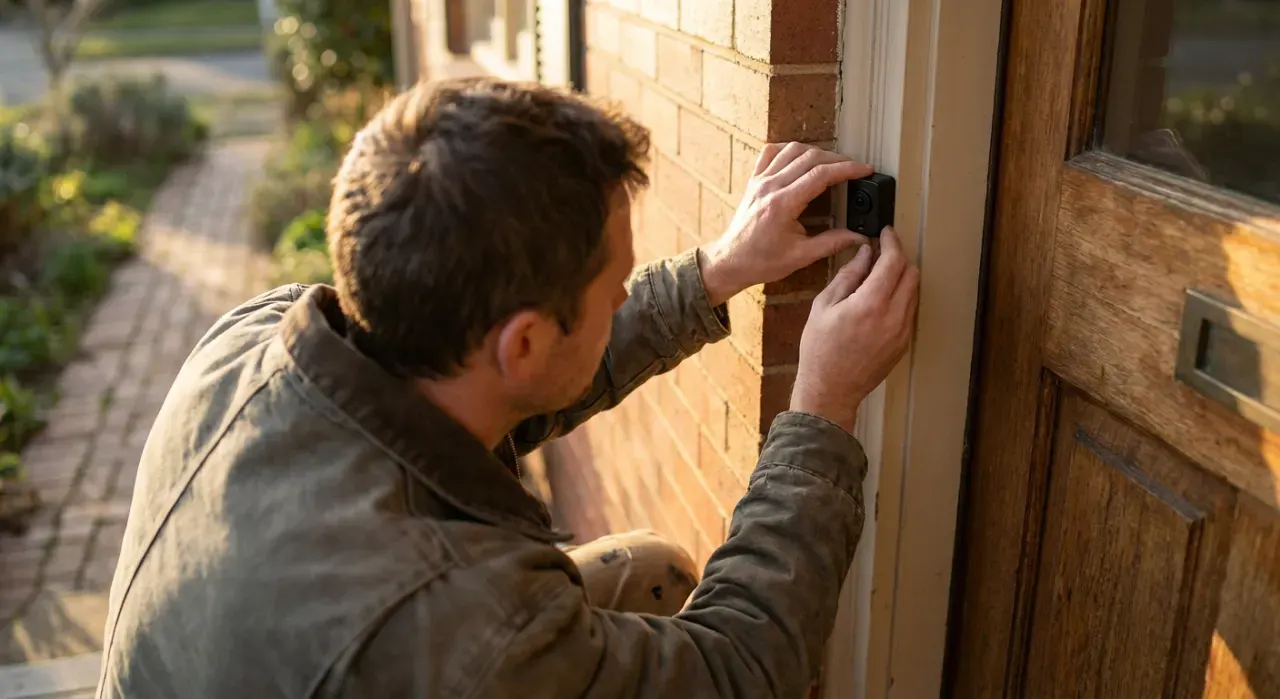
- Check the Wi-Fi first. Stand where the doorbell will go and look at your phone. One bar means you need a mesh node before you need a doorbell — this is the leading cause of one-star reviews in the category.
- Mount at about 48 inches above the threshold. Higher looks at the tops of heads; lower frames a torso.
- Use a wedge if the door faces the street at an angle. Most brands sell an angled backplate, and a 15-degree wedge turns a useless view of a hedge into a view of the path.
- Brick and stucco need the right anchors. A masonry bit and plastic anchors, not the drywall screws in the box.
- Tune the motion zones before you walk away. Exclude the street and the sidewalk. This determines both your battery life and whether you keep notifications on.
The step-by-step is in how to install a video doorbell, and if you have wiring and are weighing whether to use it, wired vs wireless video doorbell makes that case.
How We Rank
We never buy, install or physically handle these doorbells. Rankings come from aggregated owner ratings across the most-owned battery doorbells, weighted toward long-ownership reviews where battery degradation, app changes and subscription shifts appear, and cross-checked against published specifications. Four things carry the weight: whether the footage is usable for identification rather than merely proving an event; realistic battery behavior and how you charge it; alert reliability and false-trigger control; and what the doorbell does with no plan. Prices were checked at the time of writing. Full method: how we rank.
What Owners Actually Complain About
Wi-Fi at the front door. The single most common one-star theme, and usually a network problem rather than a doorbell one. A front door is at the far edge of most home networks.
Charging more often than expected. Universal, worst on street-facing doors and in winter. The motion zones are the fix.
No mechanical chime. Buyers repeatedly discover that their existing indoor chime does nothing. Budget for a plug-in chime or check whether one is included.
Missing the start of an event. The wake delay. Aim so people cross the field rather than approach head on, and enable pre-roll if you can accept the battery cost.
Subscription surprise. A steady stream of reviews from people who bought a cloud-first doorbell, declined the plan, and discovered nothing is saved. Check the table above before buying.
The Verdict
Buy the Ring Battery Doorbell if you want the most proven product and are willing to pay for a plan — and turn on two-factor authentication and end-to-end encryption on the first day. Buy the Blink Video Doorbell if the charging chore is what you object to, because two years on replaceable lithium cells effectively removes it.
Buy the eufy E340 if you object to the subscription rather than the charging, since it records, detects and alerts entirely on its own hardware. The Tapo D225 is the best-rounded of the group for the money and the one we would suggest to someone with no ecosystem loyalty at all. Check price on Amazon → (paid link)
More from this hub: Smart Home & Security · Best video doorbells · Doorbell cameras without a subscription · Ring vs Nest doorbell · How to install a video doorbell · How we rank