 Garden
Affiliate Disclosure
Some links on this page are affiliate links. As an Amazon Associate, we earn from qualifying purchases — at no extra cost to you. We do not buy, test, or physically handle the products we cover; our rankings come from aggregated owner reviews, ratings and expert consensus. Commissions never change our verdicts. How we rank · full disclosure.
The short version: the best PoE security camera system is the Reolink RLK8-800B4. People move from Wi-Fi cameras to PoE for a specific set of reasons — continuous 24/7 recording instead of motion clips, no dropped footage from a weak signal, no batteries, and no monthly fee for the storage that makes the whole thing useful. The Reolink delivers all of that with genuine 4K cameras, real person and vehicle detection, and an NVR with room to grow. For a system you want still running in a decade, the Amcrest kit with metal housings and ONVIF compatibility is the better buy.
If you would rather not run cables, our best home security camera and best solar powered security camera rankings cover the wireless field. If the goal is a single bright fixture rather than a whole system, best floodlight camera is the right page.
Top Picks at a Glance
Our #1 Pick: Reolink RLK8-800B4
Reolink has become the default recommendation for home PoE for a reason: it delivers the specifications that matter without the enterprise complexity that puts people off Hikvision or Dahua gear. Four 8MP cameras give genuine 4K, which is the difference between seeing that someone was in your driveway and being able to read the plate on the car they arrived in.
The NVR is the part that decides whether a system is pleasant to live with. This one ships with 2TB already installed, has eight PoE ports so four cameras leave room to double the system later, and uses H.265 compression so continuous recording actually fits. Person and vehicle detection runs on the system rather than in a cloud service, which means the alerts filter out cars, branches and rain without a subscription behind them.
That last point is the structural advantage of PoE. The recorder owns the footage. Nobody can change a pricing tier, discontinue a service, or lock your history behind a paywall — and there is no cloud outage that stops the system recording.
Consensus Score █████████░░ 8.9 — the deepest and most stable owner consensus of any home PoE system in the American market.
The honest weaknesses: you have to run four Ethernet cables, which is the real work; the mobile app is functional rather than polished next to Ring or Nest; the NVR fan is audible so it wants a closet rather than a living room; and 2TB fills in roughly two weeks with four 4K cameras recording continuously.
Check price on Amazon → (paid link)
The Ranked Field

Best for a house that wants four 4K cameras recording continuously with no fees
- Four 8MP 4K bullet cameras on one Cat5e run each
- 8-channel NVR with 2TB pre-installed, expandable
- Person and vehicle detection filters nuisance alerts
- H.265 compression for 24/7 recording
Why buy it: the best-supported PoE kit in the American market — genuine 4K, real smart detection, and a system that never asks for a subscription.
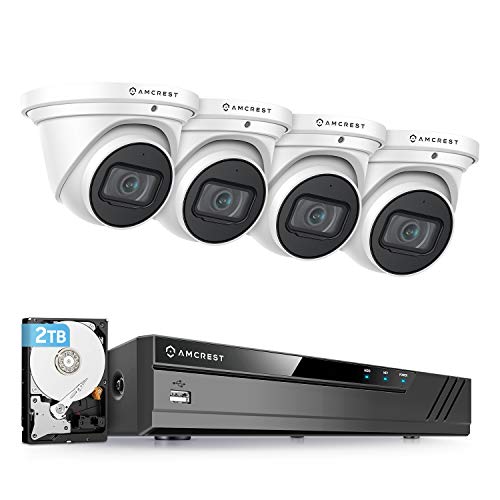
Best for an installation you want to still be working in ten years
- Four 8MP 4K turret cameras, 3840x2160
- 8-channel PoE NVR with 2TB pre-installed
- ONVIF compatible for third-party software
- Metal camera housings rather than plastic
Why buy it: metal housings and ONVIF compatibility mean the cameras outlive the recorder and can be moved to any other system later.

Best for a property where you want the system to warn people off actively
- Four 4K metal dome cameras with color night vision
- Smart deterrence with light and siren
- Listen-in audio and long-range infrared
- Fusion NVR accepts Wi-Fi devices alongside PoE
Why buy it: active deterrence rather than passive recording, and a recorder that will also take your existing Wi-Fi cameras on the same timeline.

Best for soffit and eave mounting where a bullet camera looks wrong
- Four 8MP turret cameras in a compact dome form
- 8-channel NVR with 2TB pre-installed
- Person and vehicle detection built in
- H.265 for 24/7 continuous recording
Why buy it: the same electronics as our top pick in a turret body, which handles under-eave mounting and spider webs far better than a bullet.
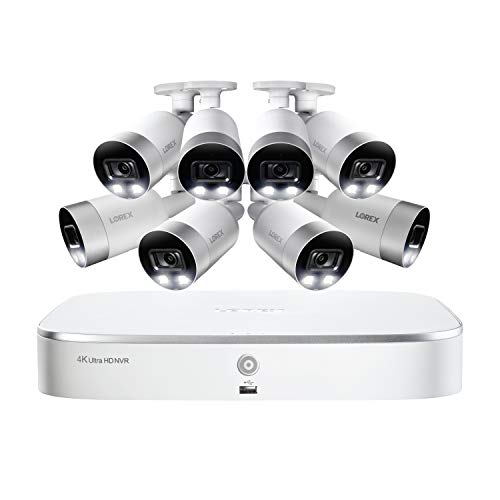
Best for a large property that needs full perimeter coverage from day one
- Eight 4K metal bullet cameras included
- 8-channel NVR with 2TB storage
- Active deterrence with light and siren
- Smart motion detection with color night vision
Why buy it: eight cameras in one box costs far less than buying a four-camera kit and adding four more later.

Best for a first wired system where 4K is more resolution than you need
- Four 1440p cameras, indoor or outdoor rated
- 8-channel NVR with 2TB pre-installed
- Person and vehicle detection included
- Room on the NVR to add four more cameras
Why buy it: the cheapest honest route into PoE, with four spare channels so you can expand to 4K cameras later without replacing the recorder.
Quick Comparison
| Product | Best for | Rating | Price | Buy |
|---|---|---|---|---|
| REOLINK 8CH 4K Security Camera System with 4 PoE Bullet Cameras and 2TB NVR | Best Overall | — | Check (paid link) | |
| Amcrest 4K PoE Security Camera System with 8CH NVR and 4 Turret Cameras | Best Build Quality | — | Check (paid link) | |
| Lorex Fusion 4K Security Camera System with 8 Channel 2TB NVR and 4 Dome Cameras | Best Deterrence Features | — | Check (paid link) | |
| REOLINK 8CH 4K Home Security Camera System with 4 PoE Turret Cameras and 2TB NVR | Best Turret Alternative | — | Check (paid link) | |
| Lorex 4K Security Camera System with 8 Channel 2TB NVR and 8 PoE Bullet Cameras | Best Eight-Camera Kit | — | Check (paid link) | |
| REOLINK 4MP 8CH PoE Security Camera System with 4 Wired IP Cameras and 2TB NVR | Best Budget Entry | — | Check (paid link) |
How We Rank
We do not buy, test or physically handle camera systems. We rank them on evidence that scales: star ratings weighted by review volume, published sensor resolution, compression format and NVR channel count compared like for like, the recurring complaints that surface in critical reviews, long-term owner reports written after several years of weather, and expert consensus across established outlets as a cross-check. For a PoE page we weight three things harder than usual — expandability of the recorder, whether the cameras are ONVIF compatible and therefore reusable, and camera housing material — because a wired system is a decade-long installation and the cabling is the expensive part to redo. Prices were current at the time of writing. Full method on how we rank.
The PoE Systems, Reviewed
1. Reolink RLK8-800B4 — Best Overall
Covered above. What owners praise: genuine 4K detail, on-device person and vehicle detection, no subscription ever, straightforward setup for a wired system, and room on the NVR to expand. What owners complain about: cable running, an app that lags the big consumer brands, an audible NVR fan, and 2TB filling quickly with continuous 4K. The default home PoE recommendation.
2. Amcrest 4K Turret Kit — Best Build Quality
Amcrest sits a step closer to the professional market, and it shows in two places. The camera housings are metal rather than plastic, which matters after five winters on a north-facing wall. And the cameras are ONVIF compatible, meaning they can be pointed at any ONVIF recorder or software — Blue Iris, Frigate, Synology Surveillance Station — rather than being locked to the bundled NVR. Since recorders fail long before cameras do, that is real long-term value. What owners praise: build quality, image detail, ONVIF flexibility, and detailed configuration options. What owners complain about: a configuration interface written for people who understand IP networking, a less friendly mobile app, a higher price, and documentation that assumes knowledge. Buy it if you plan to keep the installation for a decade.
3. Lorex Fusion 4K Dome Kit — Best Deterrence Features
Lorex builds around the idea that a camera which only records after the event has done half a job. Its smart deterrence triggers a light and a siren when a person is detected in a defined zone, which changes the outcome rather than documenting it. The Fusion NVR is the other differentiator: it accepts Wi-Fi devices alongside PoE cameras on one timeline, so an existing doorbell or battery camera does not need a second app. Metal dome housings with color night vision and long-range infrared complete it. What owners praise: deterrence that visibly works, the Fusion mixed-device approach, solid night footage, and a usable app. What owners complain about: higher prices than Reolink for similar specifications, a heavier interface, and deterrence settings that need careful tuning to avoid a siren going off at a raccoon. Right when you want the system to intervene.
4. Reolink RLK8-800D4 Turret Kit — Best Turret Alternative
Identical electronics to our top pick in a turret body, and the form factor matters more than people expect. Bullet cameras project outward from a wall, which makes them easy to aim and easy to see; turrets sit in a compact dome that tucks under an eave or soffit, sheds rain better, and — a genuinely common complaint with bullets — gives spiders far less to build a web across in front of the lens. What owners praise: the same 4K quality and detection as the bullet kit, a tidier appearance, and far fewer spider-web false alerts. What owners complain about: a slightly narrower aiming range than a bullet, infrared reflection off the dome if it is mounted too close to a wall, and the same cable-running work. Choose it over the bullet kit for under-eave mounting.
5. Lorex 8-Camera Bullet Kit — Best Eight-Camera Kit
For a large property, buying eight cameras in one box is substantially cheaper than buying four and adding four later, and it avoids the common mistake of filling a recorder’s channels and then discovering the drive cannot keep up. Eight 4K metal bullet cameras, an 8-channel NVR with 2TB, active deterrence and color night vision. What owners praise: coverage of a whole perimeter from one purchase, deterrence features, and per-camera cost well below buying individually. What owners complain about: 2TB is thin for eight 4K cameras recording continuously, so most owners upgrade the drive; eight cable runs is a serious weekend; and the NVR is full from day one with no room to expand. Buy it if you know you need eight.
6. Reolink RLK8-410B4 — Best Budget Entry
4K is not always the right answer. On a camera watching a side gate at fifteen feet, 1440p resolves a face perfectly well, uses roughly half the storage and costs considerably less. This kit gives four 4MP cameras, the same 8-channel NVR with 2TB, and the same person and vehicle detection — with four spare channels, so you can add 4K cameras to the same recorder later where you actually need them. What owners praise: the price of entry into wired recording, adequate detail for most home angles, and the expansion headroom. What owners complain about: 4MP will not read a license plate at distance the way 4K will; the cameras are older-generation; and night performance is a step behind the 4K models. The sensible starting point if the budget is the constraint.
The Cabling Is the Real Project
Everything else about a PoE system is unpacking boxes. The cable runs are the work, and they are what people underestimate.
Each camera needs one Cat5e or Cat6 cable back to the NVR. In a house with an accessible attic and soffit vents, that is generally a straightforward if uncomfortable job: drill down through the soffit, fish the cable to a central point, and terminate at the recorder. In a two-story house with no attic access above the ground floor, or in a slab-on-grade home, it becomes considerably harder and is where most people call an installer.
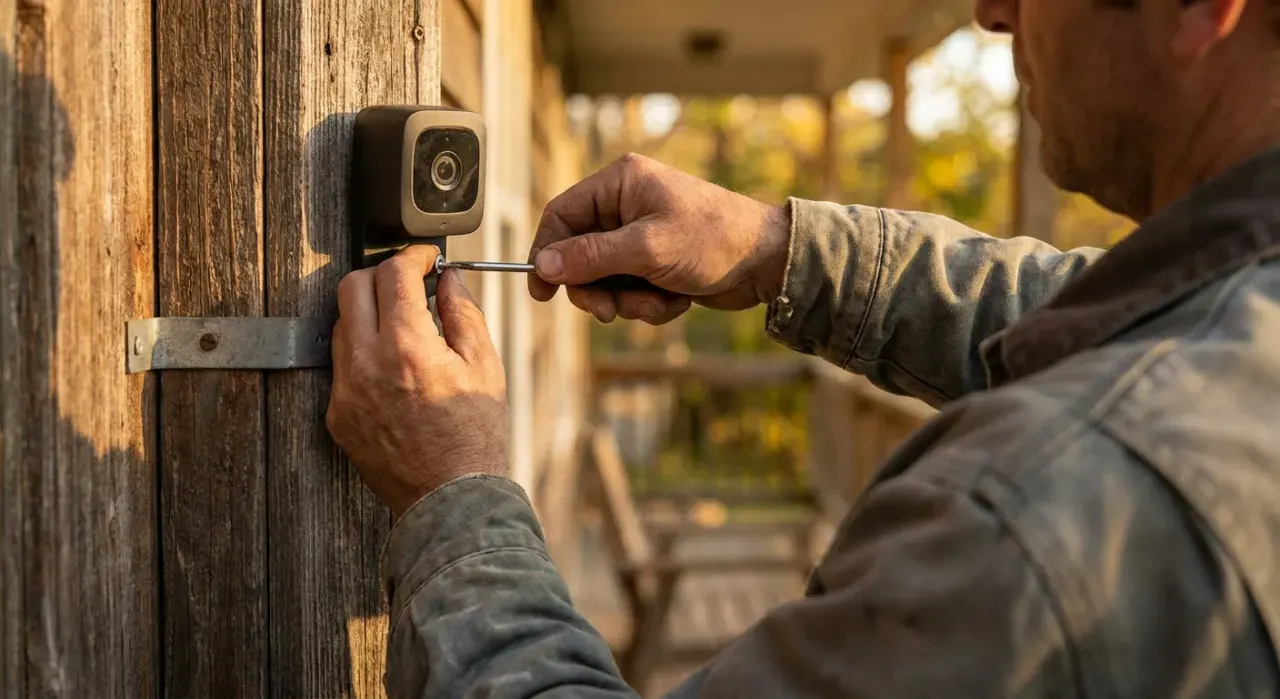
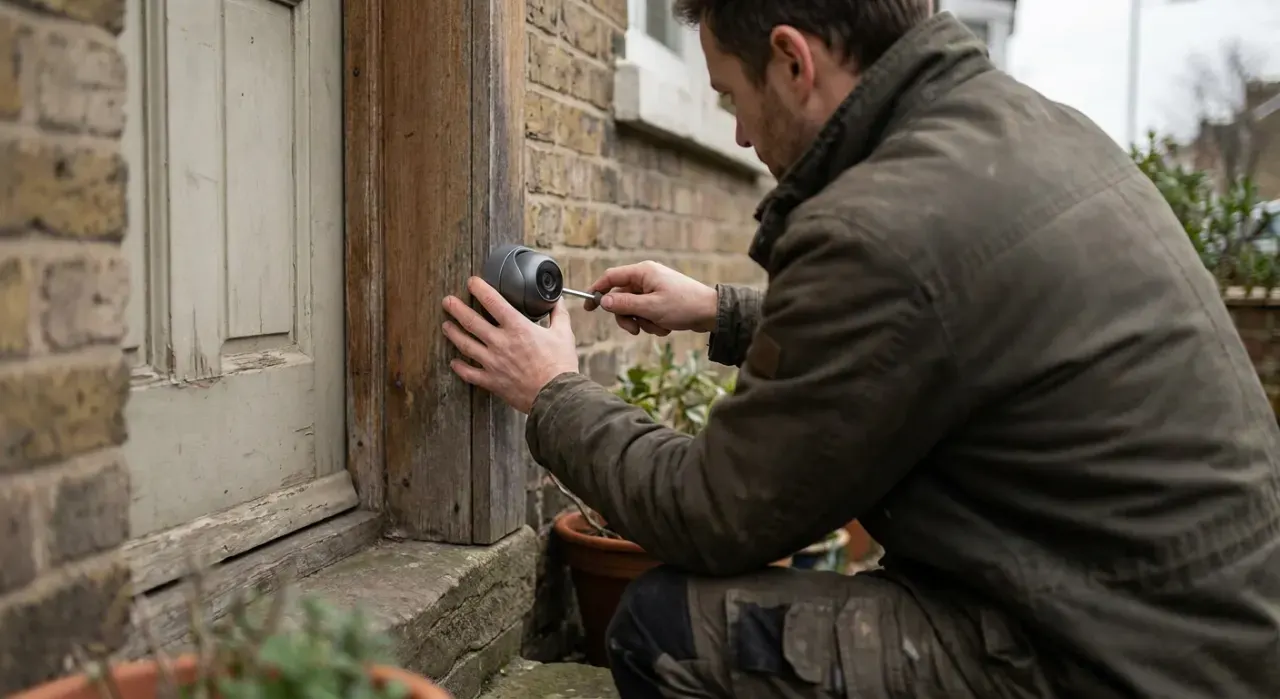
Practical points that save a return trip. Run Cat6 rather than Cat5e — the cost difference is trivial and it future-proofs bandwidth. Use outdoor-rated or direct-burial cable for any exterior run. Leave a service loop of a couple of feet at each camera so it can be repositioned later without re-pulling. Keep runs under 100 meters, which is the PoE standard limit and is rarely a constraint in a house. And terminate at the camera end last, after the cable is pulled, because a crimped connector will not fit through a small drilled hole. The mounting walkthrough is in how to install a wired security camera and how to mount outdoor security cameras.
Sizing the Drive
| Setup | Rough daily usage | 2TB lasts | Suggested drive |
|---|---|---|---|
| 4 x 4K, continuous | 100–150 GB | ~2 weeks | 4TB for a month |
| 4 x 4K, motion only | 20–50 GB | ~6 weeks | 2TB is fine |
| 8 x 4K, continuous | 200–300 GB | ~1 week | 8TB for a month |
| 4 x 4MP, continuous | 50–80 GB | ~1 month | 2TB is fine |
Figures assume H.265 compression and moderate motion; a camera watching a busy street uses considerably more than one watching a back fence. Use a surveillance-rated drive rather than a desktop one — these write continuously, which is a duty cycle ordinary drives are not designed for. How long security cameras store footage covers retention in more detail.
What Owners Actually Complain About
Read the critical reviews across all six systems and five themes repeat. Installation effort leads, and it is honest rather than a defect — buyers who expected a Wi-Fi camera experience and found themselves in an attic. App quality is second: every brand here has a functional app that feels a generation behind Ring or Nest. Storage filling faster than expected is third, almost always from continuous 4K recording on a 2TB drive. NVR noise and heat comes fourth, which is why these belong in a closet or utility room. And night-time infrared reflection, particularly with dome and turret cameras mounted too close to a wall, where the IR bounces off the surface and washes out the image. Related: how far a security camera sees at night and do security cameras record all the time.
Setting It Up Properly
Mount cameras at nine to ten feet and aim along an approach path rather than straight down it, so a person is in frame for several seconds. Keep the NVR somewhere ventilated, out of sight and ideally not in the same room as a door a burglar would use — the weakness of a local recorder is that it can be taken, which is why many owners also enable a cloud or FTP backup of key events.
Configure continuous recording on the channels that matter and motion-only on the rest, rather than accepting one setting everywhere; that alone often doubles retention. Change the default password on both the NVR and every camera, and if you expose the system to the internet at all, use the manufacturer’s relay service or a VPN rather than forwarding ports — open camera ports are among the most-scanned targets there are. Finally, be aware that recording audio and covering areas beyond your property is governed by state law and varies considerably — most states allow recording with one party's consent, but roughly a dozen require all parties to agree — so keep the fields of view on what you own and check your jurisdiction on audio capture.
How to Choose Between These Six
Four cameras, want the best-supported home system? The Reolink RLK8-800B4. Want it still running in ten years, and reusable cameras? The Amcrest 4K turret kit. Want the system to actively warn people off? The Lorex Fusion dome kit. Mounting under eaves and soffits? The Reolink turret kit. Large property needing eight cameras now? The Lorex 8-camera kit. First wired system on a budget? The Reolink 4MP kit with room to expand. If a full wired system is more than you need, best DIY home security system and the smart home and security hub cover the alternatives.
The Verdict
For most homes the Reolink RLK8-800B4 is the system we would recommend: genuine 4K on all four cameras, on-device person and vehicle detection that actually filters nuisance alerts, an NVR with four spare channels for later, and no subscription at any point in its life. Choose the Amcrest for metal housings and ONVIF freedom, Lorex if you want active deterrence, and the 4MP Reolink if you are starting out. Then run Cat6, leave a service loop, put the recorder somewhere safe, and change every default password. Check price on Amazon → (paid link)