 Garden
Affiliate Disclosure
Some links on this page are affiliate links. As an Amazon Associate, we earn from qualifying purchases — at no extra cost to you. We do not buy, test, or physically handle the products we cover; our rankings come from aggregated owner reviews, ratings and expert consensus. Commissions never change our verdicts. How we rank · full disclosure.
Short version: the difference between a smart home that feels like magic and one that feels like a chore is not the devices. It is picking one platform, understanding which radio each device speaks, and knowing the monthly cost before you buy the hardware. This hub covers cameras, doorbells, locks, plugs and hubs, plus the plumbing underneath — Matter, Thread, Zigbee and why a house full of Wi-Fi gadgets eventually gets flaky.
We do not buy or physically handle the products we rank. Everything here comes from reading owner reviews at volume, weighing star ratings against review counts, and cross-checking specs and subscription terms against what companies actually publish. Our method is on how we rank.
Pick the Platform Before the Products
The most expensive mistake in this category is buying devices first and discovering later that they live in four different apps. Decide the platform, then buy only what fits it.
Amazon Alexa has the widest device support and the cheapest hardware, and newer Echo speakers include a built-in Zigbee or Matter hub, which quietly removes a purchase. Google Home is tidier and better at voice, with a smaller compatible catalog. Apple Home is the most private and the most consistent, and also the most restrictive about what it will accept. SmartThings is the enthusiast option, speaking Zigbee, Z-Wave, Matter and Thread at once, at the cost of more setup.
Whichever you pick, prefer devices that also carry Matter certification. Matter is what lets a bulb, plug or lock answer to any of those four platforms without a brand-specific bridge, and it is the only real protection against being stranded when you change your mind. Background in Matter and Thread explained.
Why Your Smart Home Gets Flaky
Almost every reliability complaint we read traces back to radio, not to the device. Smart home gear runs on 2.4GHz Wi-Fi, Zigbee, Z-Wave, Thread or Bluetooth, and they behave very differently at scale.
Wi-Fi devices are the simplest to set up and the worst to scale. Each one is a client on your router, and 2.4GHz has only three non-overlapping channels. Five devices is fine. Thirty is where people start posting one-star reviews about dropouts. Zigbee, Z-Wave and Thread are low-power mesh networks: each mains-powered device repeats the signal, so coverage improves as you add devices instead of degrading. They need a hub, which is the cost, and they respond noticeably faster, which is the payoff.
The practical rule: cameras and anything streaming video go on Wi-Fi because they need the bandwidth. Sensors, bulbs, plugs and locks — dozens of small, chatty devices — belong on a mesh protocol. Detail in Wi-Fi vs Zigbee vs Z-Wave.
Cameras: The Monthly Cost Is the Product
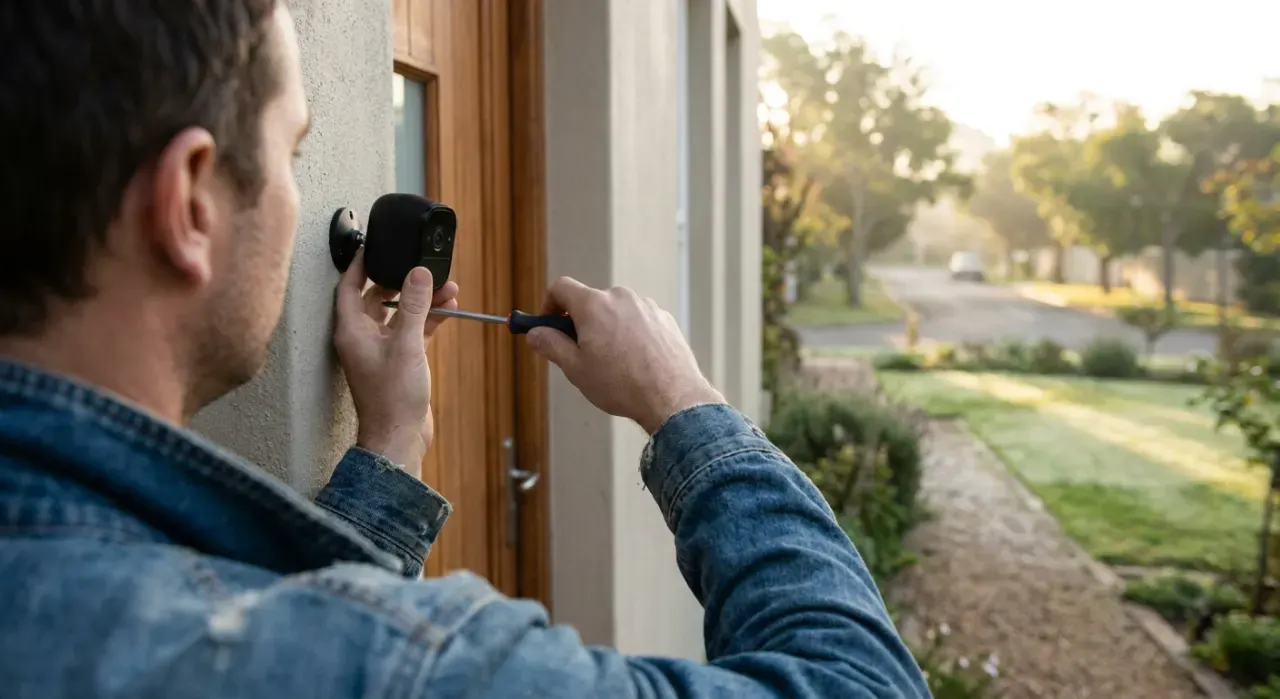
Security cameras are the category where the sticker price misleads most. A $60 camera with a $6 monthly plan costs $276 over three years. A $200 camera that records to a local card costs $200. Owner reviews are full of people who discovered this after installing four cameras.
Two models exist. Cloud-first brands like Ring and Nest tie useful features — recorded history, person detection, rich notifications — to a subscription, and without one you largely get a live view. Local-first brands like Wyze, TP-Link Tapo and eufy record to a microSD card or a base station with no fee, offering an optional cloud plan on top. Neither approach is wrong, but they are different purchases and should be priced as such.
Beyond cost, three specs decide whether a camera is useful: night video, where a spotlight and color night vision beats grainy infrared for identifying anyone; detection quality, because a camera that alerts on every passing car gets muted within a week and then protects nothing; and field of view versus detail, since a 130-degree lens at 2K resolves a face at the door far better than a 180-degree lens at 1080p. Ranked picks in best home security cameras, fees compared in camera subscription costs, and mounting in where to place security cameras.
Doorbells Are the Device People Actually Use
Across every smart home category, the video doorbell has the highest reported daily-use rate, and the reason is mundane: packages. The decision is wired versus battery. A wired doorbell draws from your existing 16-to-24-volt transformer, never needs charging, and wakes faster, so you see the visitor before they have walked away. A battery doorbell installs anywhere in twenty minutes and needs a recharge every two to six months depending on traffic.
The specification worth checking is aspect ratio. A tall, roughly square view shows a package on the mat; a wide 16:9 view shows the street and cuts off the doorstep. That single detail generates more owner complaints than image quality does. Picks in best video doorbells.
Smart Locks: Convenience With a Battery Caveat
A smart lock replaces the interior half of a standard deadbolt, or the whole deadbolt, and gives you codes for the dog walker, remote unlock for a delivery, and an end to hidden spare keys. The mechanical security is largely unchanged — the same ANSI-graded bolt hardware — so look for Grade 1 or 2 and stop worrying about the metal.
The real considerations are different. Batteries: every model warns before dying, and every model has owners who ignored it, which is why external terminals or a physical key override matter. Account security: your front door is now protected by a password, so it needs a strong unique one and two-factor authentication. Door fit: strike alignment and door thickness cause more failed installations than anything else, and it is worth measuring the backset before ordering. Ranked picks in best smart locks, risk assessment in are smart locks safe.
Start Cheap: Plugs and One Sensor
The best $20 you can spend on a smart home is two smart plugs. They need no wiring, work with every platform, and turn any lamp, fan or coffee maker into a scheduled device. More importantly, they teach you how your chosen app behaves — how automations are built, how routines fire, how it handles being offline — before you spend real money on cameras and locks.
Add one contact sensor on the door you use least and one water leak sensor under the water heater or behind the washer. Leak sensors are the highest-value low-cost device in the whole category: they cost around $20 and the failure they catch costs thousands. Picks in best smart plugs, and the platform decision in how to set up a smart home hub.
Privacy, Honestly
Cameras in a home are a genuine trade-off and worth thinking about rather than assuming away. Three practical positions cover most people. Keep interior cameras out of bedrooms and bathrooms, and prefer models with a physical privacy shutter for the ones in living areas. Prefer local storage where you can, because footage on a microSD card in your house is a different exposure from footage on a company's servers. And treat account security as the actual perimeter: a strong unique password with two-factor authentication does more for your household's privacy than any spec on the box.
Also worth knowing: audio recording law varies by state, and several states require all-party consent for recording conversations. Cameras pointed at your own property are generally fine; audio capture of a neighbor's yard or a shared hallway is a different question. When in doubt, disable audio on outward-facing cameras.
Where to Start
Pick a platform. Buy two smart plugs and live with the app for a fortnight. Add a video doorbell, because it is the device you will use daily. Then decide on cameras with the monthly cost in front of you, not after. Locks and hubs come last, once you know which ecosystem you are staying in. The topical map below links every ranked list, comparison and explainer in this section.